Create governed Skills
Author, upload, or import reusable AI Skills as private Drafts with exact package provenance.
Use this guide to turn a reusable set of AI instructions and supporting files into a governed Skill. You need permission to create Assets in the destination Knowledge Space. Every creation path stops at a private Draft; publishing is a separate accountable action.
Choose how to create the Skill
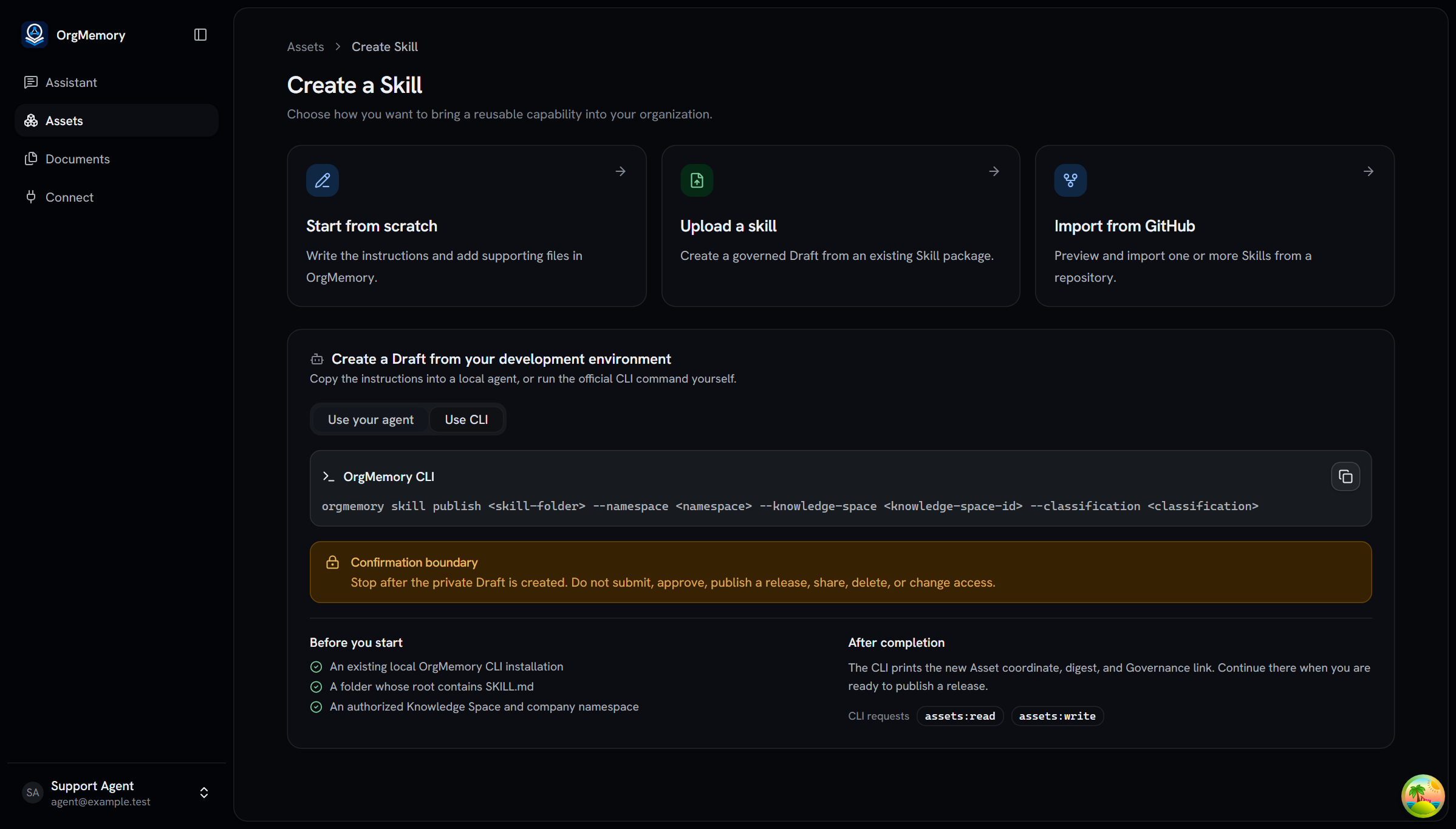
Open Assets, select Add asset → Skill, then choose one path:
- Start from scratch to write
SKILL.mdinstructions and add supporting files in the browser; - Upload a skill to inspect an existing
SKILL.md, folder, or ZIP; - Import from GitHub to discover one or more Skills in a repository.
OrgMemory validates package structure but does not execute the Skill or treat structural validation as a security or content review.
Continue from your development environment
If the Skill already lives in a local development workspace, use Use your agent to copy a bounded prompt into your coding agent, or Use CLI to copy the official command template. The agent must use an existing OrgMemory CLI, validate and dry-run the package, ask for any missing folder, namespace, Knowledge Space UUID, or classification, and show the exact command before it asks for confirmation.
The handoff stops when the private Draft and Governance link exist. It does not install the CLI, ask you to paste a token, submit a review, publish a release, share the Asset, or change access.
Preview a GitHub repository
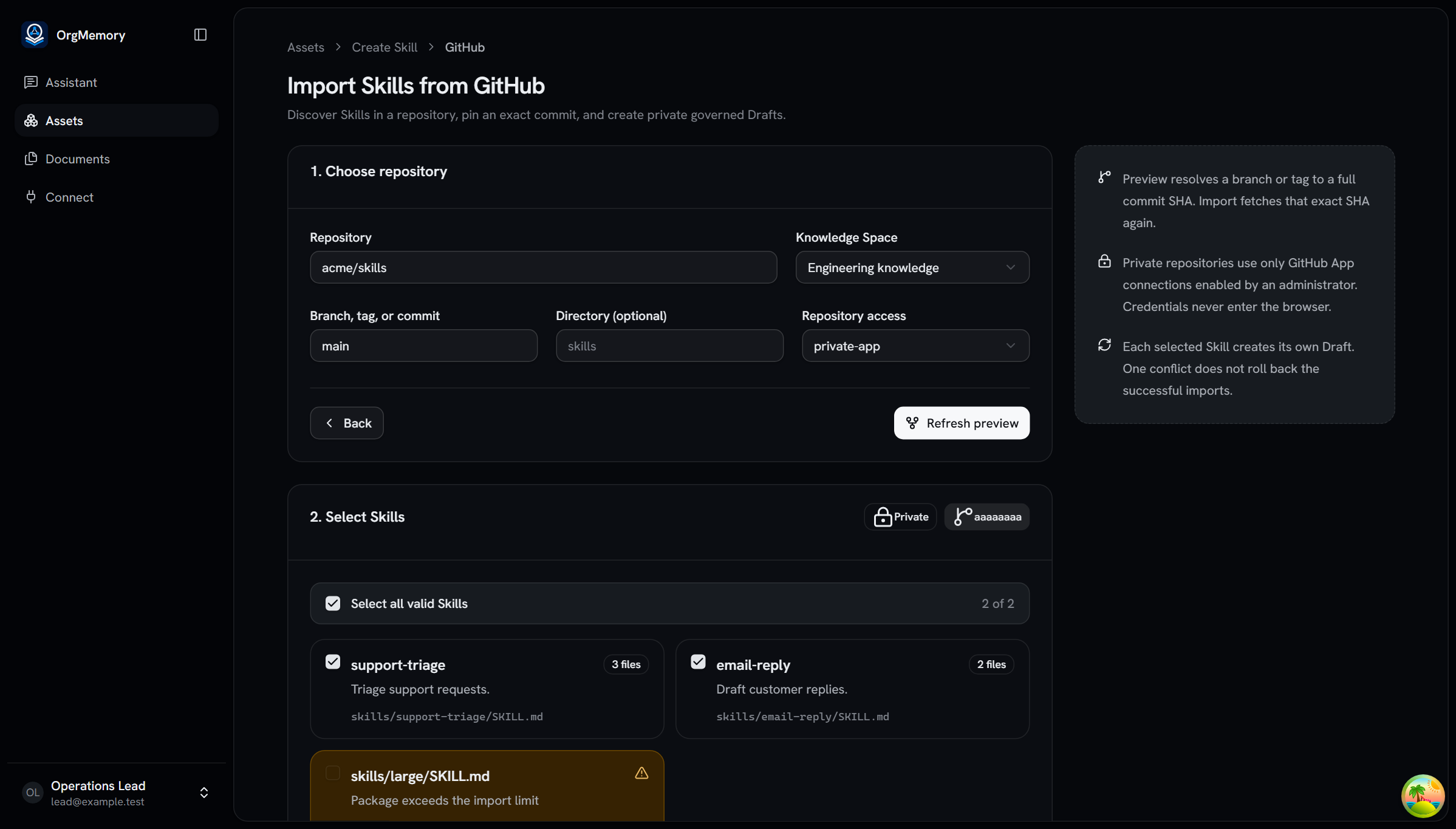
First choose the destination Knowledge Space. OrgMemory uses that choice to
verify your Skill-creation permission before it reveals private repository
connections or reads repository content. Then enter owner/repository or the
repository HTTPS URL. You may also supply a branch, tag, commit, and directory.
Public repositories are read anonymously by the server. For a private
repository, choose a GitHub App connection that an administrator has explicitly
enabled for Skill import; credentials never enter the browser.
Select Preview Skills. The preview resolves the requested revision to a
full commit SHA, discovers bounded SKILL.md roots, and marks packages that
cannot be imported. Choose up to 20 valid Skills.
Place the Drafts
Choose one namespace and classification for the already-selected Knowledge
Space. Import fetches the exact previewed commit again and records the server-derived
repository, commit SHA, and SKILL.md path in each Draft's package
provenance.
Each selected Skill is imported independently. A duplicate or invalid package appears under Not imported without rolling back successful Drafts. Open a successful result to continue in the ordinary Governance workspace.
Review and publish deliberately
In Governance, inspect the package digest, file manifest, compatibility, and source provenance. Replace the mutable Draft package when necessary. An authorized owner may then publish a version directly or use the reviewed route when organizational policy requires it. Published revisions and releases keep their original immutable package bytes.
If import cannot continue
- Repository unavailable: confirm the repository, revision, and optional directory without assuming a private repository exists.
- Private import disabled: ask an administrator to select the repository in the GitHub App installation and enable private Skill imports on that connection.
- Package rejected: fix the reported
SKILL.md, path, file-count, or size issue at the pinned revision, then preview again. - One Skill conflicts: open the successful Drafts and resolve the duplicate namespace/slug before retrying only the failed Skill.
Continue
- Learn how to work with an exact released Asset.
Last updated on